
Available
Online shop
Offer products or services and manage catalogue, promotions, stock, cart, orders, pickup and delivery.
Explore mobile commerceSimple from day one
Create your space, choose the right app type, configure your activity and invite users. Your ERP or existing software can also control everything through APIs.
One platform · multiple app types
Offer products or services and manage catalogue, promotions, stock, cart, orders, pickup and delivery.
Explore mobile commerceCentralise requests, jobs, technicians, appointments, documents, quotes, messages, checklists, signatures and time entries.
Explore case trackingPublish services, resources and availability. Customers choose a time slot and manage bookings in the app.
Explore bookingsMore professional use cases will join the SellViaApp catalogue. Your platform is ready to evolve.
The platform is designed to add new modules without forcing you to change applications or rebuild your account.One app, two complementary experiences
SellViaApp connects any activity selling products or services — stores, independent professionals, suppliers and service providers — with customers ordering from their phone.
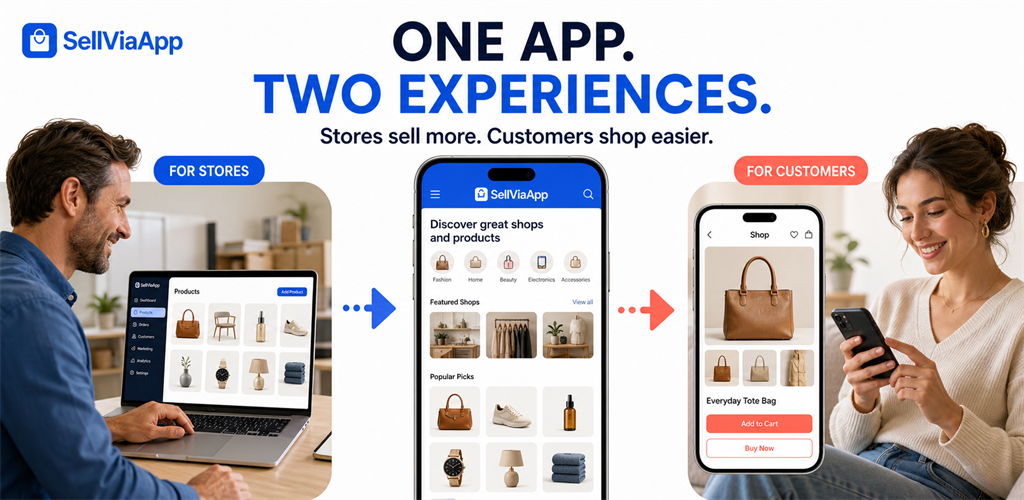
Present products or services, manage prices, images and availability, then receive orders in your dashboard or existing software.
Explore the seller journey →One app provides access to several shops, faster purchasing and easy switching from one store to another.
Explore the buyer journey →A simple, concrete journey
Create the space, choose the module, configure your data and invite users.
Keep your software at the centre
Already using an ERP, e-commerce platform, POS, calendar or business application? If it communicates with an API, it can send data to and retrieve data from your SellViaApp mobile space.
 SellViaAppShared mobile applicationAndroid + iOS
A few basic details are enough: business name, contact and the name displayed in the application.
Your space appears inside SellViaApp under your professional name and can immediately be customised.
Activate online shop, case tracking or appointments and bookings. Your environment adapts immediately.
Add the products, cases, services, resources, rules and availability you need through the dashboard or APIs.
They install SellViaApp and receive the right journey: buying, following a case or booking.
Monitor activity in the dashboard or exchange all useful data with your ERP or business software.
Two ways to manage the same shared app
Ideal for creating, editing and monitoring data from a clear interface with no development.
Keep your ERP or current software and automate exchanges with the SellViaApp mobile application.
Your mobile project starts here
Choose your app type, create your space for free and enjoy a 7-day trial with no credit card or purchase obligation.