
Published on WordPress.orgNo development requiredHPOS compatible
WooCommerce × SellViaApp
Turn your WooCommerce shop into a real mobile app.
Connect WooCommerce to SellViaApp without entering everything again. The plugin syncs your catalogue and customer accounts to the mobile app, then brings orders back into WooCommerce through a guided, secure setup.
SellViaApp for WooCommerce is officially approved and published in the WordPress.org plugin directory. Install it directly from your WordPress dashboard or view its official listing.View the plugin on WordPress.org
See how it worksWooYour WooCommerce shopProducts · Customers · Orders
↔Secure synchronisationHTTPS + JSON
 Your mobile appAndroid + iOS
Ready in a few steps
Keep WooCommerce. Add the mobile channel with SellViaApp.
Your team continues working in WooCommerce while the plugin handles exchanges with your mobile app.
Create your SellViaApp app
Creation is free, with no credit card and a 7-day trial.
Install and connect the plugin
Add the API key and secure token generated in Dashboard → API.
Run the first synchronisation
Categories, products and customer accounts are sent in batches. No customer email is sent.
Receive orders
Import them on demand or automatically into WooCommerce.
One catalogue, two experiences
Your WooCommerce catalogue becomes available inside the mobile app.
Keep managing products in WooCommerce. The plugin sends categories, products, images, prices and stock to SellViaApp so customers can browse the same catalogue on their phone.
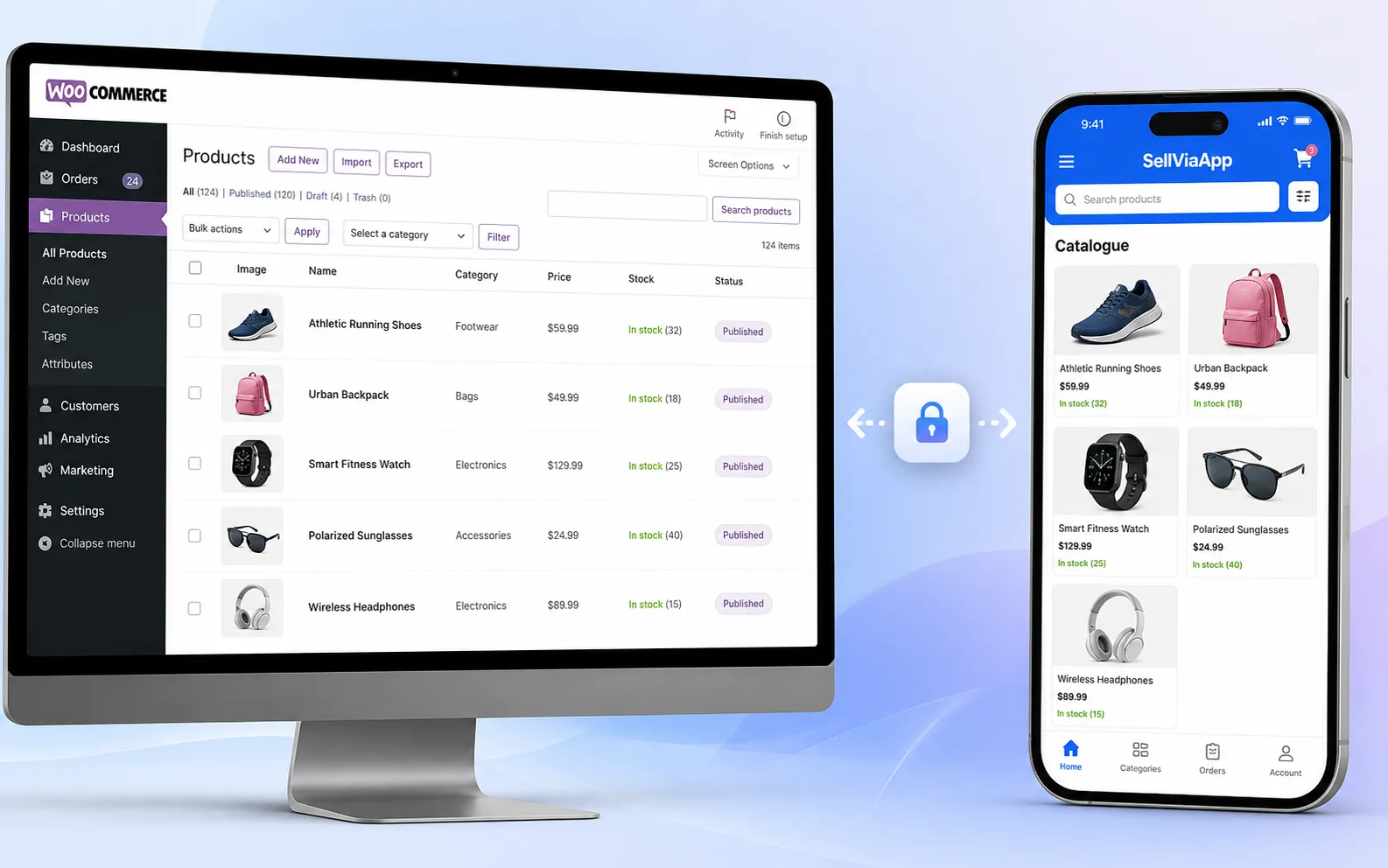
A genuinely synchronised catalogue
Every detail needed for mobile commerce.
The connector sends far more than a name and price. It builds a rich, usable catalogue inside SellViaApp.
- Categories and subcategories
- Simple products and variations
- Up to five images per product
- Regular prices and dated promotions
- Tax, stock and visibility
- Customer accounts synced without email
Orders flow back into WooCommerce
A reliable, traceable, duplicate-free workflow.
Each SellViaApp order has a unique identifier. The plugin checks local history, creates the order through official WooCommerce APIs and then confirms the import to SellViaApp.
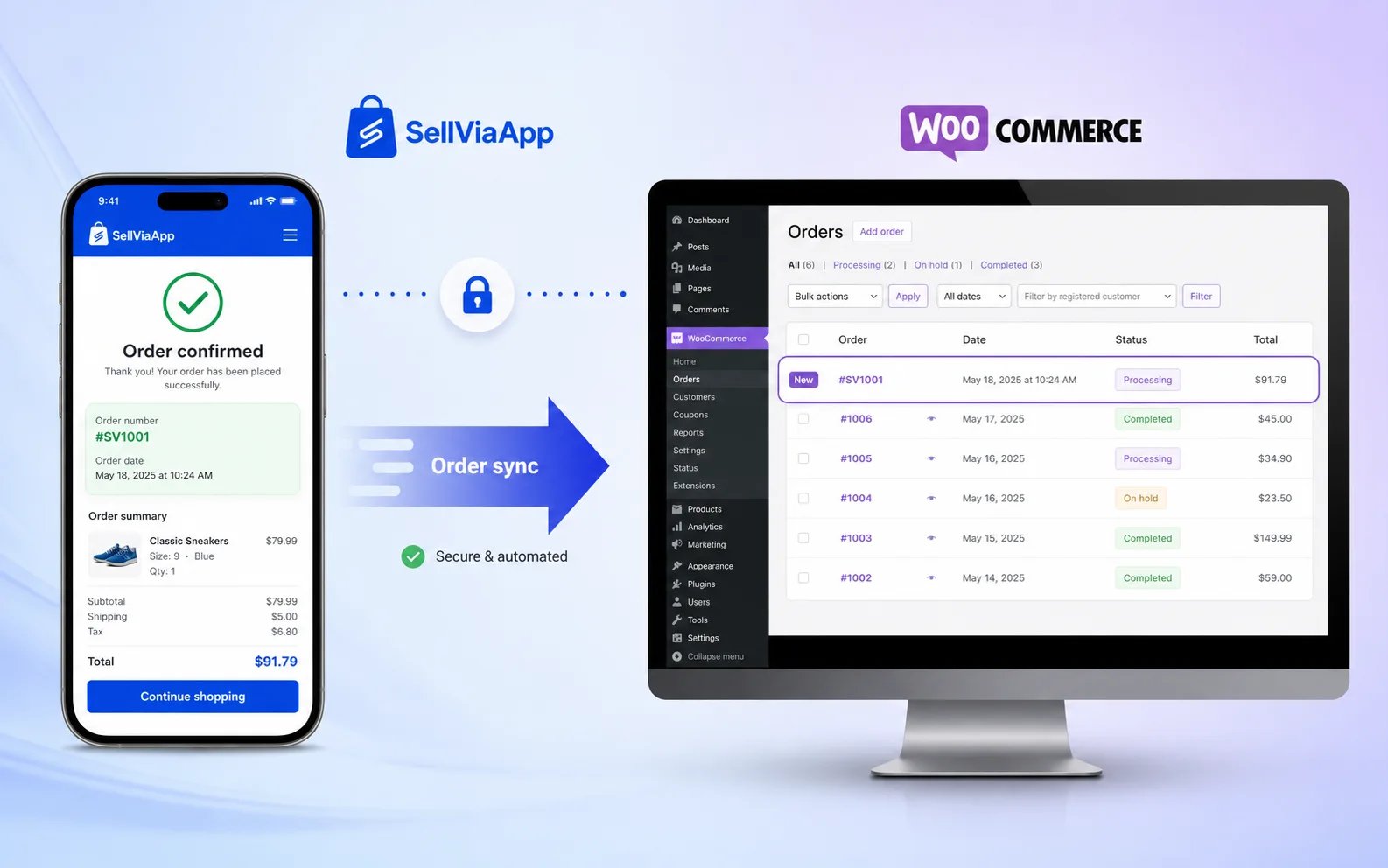
An order placed on mobile then appears in WooCommerce.
After checkout in SellViaApp, the order is imported manually or automatically into the WooCommerce order list. Your team can keep using its familiar fulfilment environment.
SellViaAppNew order
→Secure importUnique ID + mapping
→WooCommerceOrder created
→✓Acknowledged
Flexible import
Manual for full control or automatic at your chosen frequency.
Product matching
Matched by SellViaApp identifier, then by SKU when needed.
Acknowledgement
An order is confirmed only after it is actually created.
Local history
Operations and errors remain visible without exposing secrets.
Start simply and grow whenever you are ready
SellViaApp today. Your own mobile app tomorrow.
By default, SellViaApp is a shared app: customers download SellViaApp, connect to your shop and can move easily between several suppliers in one application. It is the fastest way to test and start selling on mobile.
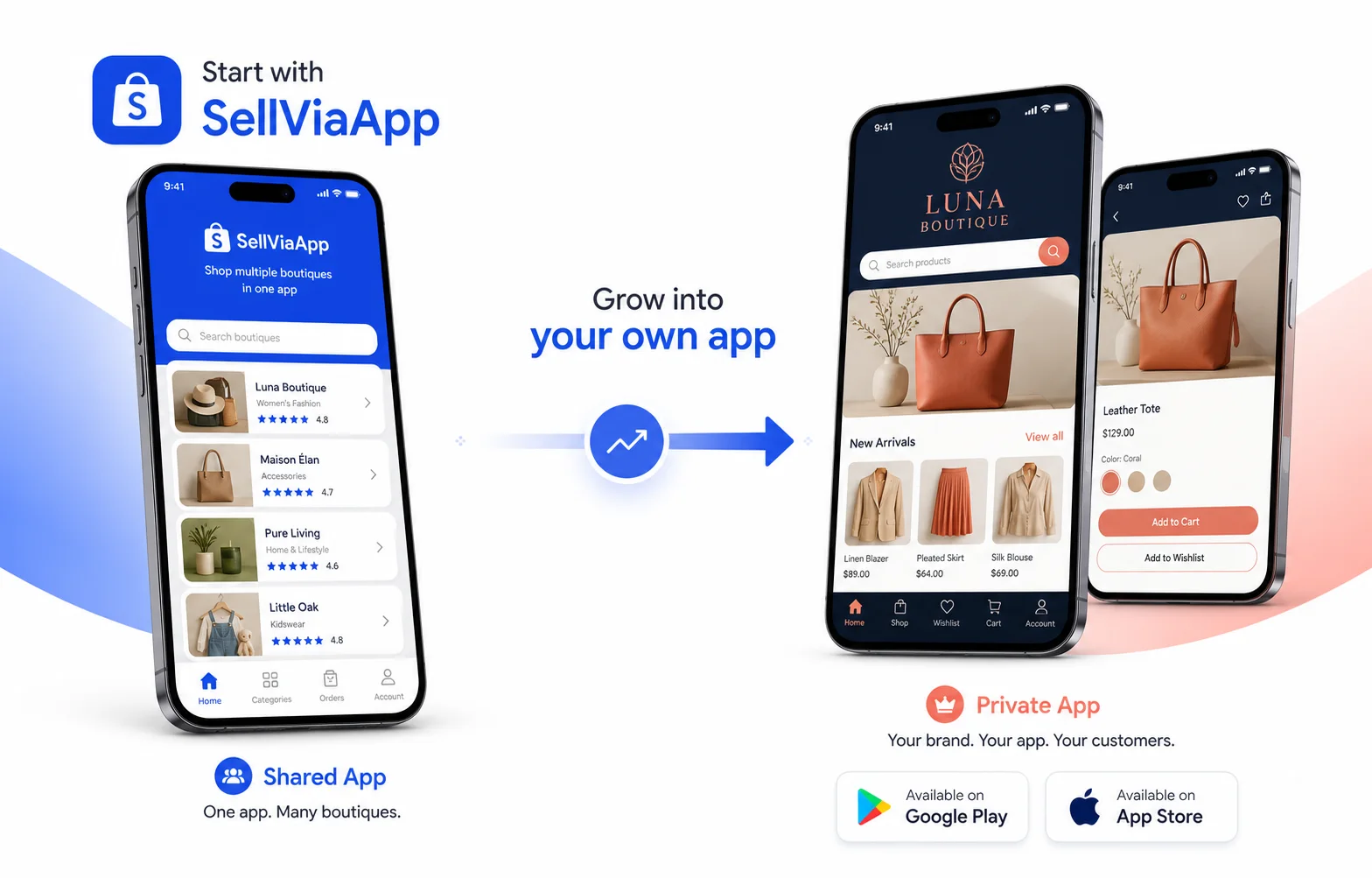
Shared SellViaApp app
Ready quickly: customers download SellViaApp on Android or iOS and access your products with their account.
A private app under your name
When you want to strengthen your brand, we can create a dedicated app with your name, logo and colours, published on Google Play and the App Store. We handle preparation and migration, without making you start again.
Discuss my private appBuilt to last
Modern security, broad compatibility.
The plugin follows WooCommerce CRUD APIs, encrypts credentials inside WordPress and validates signed webhooks before any action.
Old and current
Verified with WooCommerce 5.2.2 through 11.0.1.
HPOS
Compatible with High-Performance Order Storage.
Adaptive scheduling
WP-Cron on older versions, Action Scheduler on modern releases.
Signed webhooks
HMAC signature, timestamp and replay protection.
Requirements
WordPress 5.7+, WooCommerce 5.2+ and PHP 7.2 or newer, including PHP 8.x. An API key and supplier integration token are generated from your SellViaApp dashboard.
WooCommerce + SellViaApp
Frequently asked questions
Do I need to replace my WooCommerce shop?
No. WooCommerce remains your management tool. SellViaApp becomes an additional mobile channel connected to your data.
Does the plugin sync variations and promotions?
Yes. Variations, attributes, images, promotional prices and promotion dates are included in the catalogue flow.
Can an order be imported twice?
The plugin uses the unique order identifier, a local mapping and an acknowledgement to prevent duplicates.
Can I start without a developer?
Yes. Installation and the first synchronisation are guided inside WooCommerce. APIs remain available for advanced requirements.
WooCommerce → Android + iOS
Your WooCommerce shop can become mobile today.
Create your app for free, install the plugin and bring your catalogue to customers on Android and iOS.