
 ShopifyProducts · Customers
Your system, your mobile shop
Connect your existing commerce to your mobile shop.
The connector reuses supported data in SellViaApp instead of double entry. The flows actually available are detailed on this page.
Data and synchronisation directions vary by platform. See each integration page for verified details.Official Shopify sales channelShopify CheckoutAndroid + iOS
Shopify × SellViaApp
Your Shopify shop in a mobile app
Open a new Android and iOS sales channel while keeping Shopify at the centre. SellViaApp synchronises published products and customers, and Shopify Checkout processes every mobile purchase.
Read the complete Shopify FAQ →ShopifyProducts · Customers↔Secure sync
SellViaAppAndroid + iOS
Video guide · English
Add a mobile sales channel to Shopify
Watch a short illustration of your Shopify catalogue in the shared SellViaApp app, with Shopify remaining at the centre of your commerce workflow.
Official Shopify sales channel
A genuine additional sales channel, connected directly to Shopify.
Shopify remains the source of truth. Publication, contextual product feeds and automatic synchronisation keep the mobile catalogue fast and consistent, while Shopify Checkout owns every purchase.
ShopifyProducts · CustomersPractical guide
Before connecting Shopify, get every answer in one place.
Installation, product publishing, customers, checkout, billing and leaving Shopify: follow the complete guide prepared for merchants.
Shopify × SellViaApp
Shopify remains your source. SellViaApp becomes your mobile sales channel.
Publish the products you choose to SellViaApp. Collections become categories and each variant keeps its SKU, images, price, promotion, stock, tax and visibility.
Published collections and products
Products and variants
Up to five product images
Prices and compare-at promotions
Stock, tax and visibility
Customer profiles without automatic email
Install and authorise SellViaApp
Connect an existing account or create one
Activate the Sales Channel and publish products
Synchronise and test on Android or iOS
Orders
Every mobile order stays in Shopify
The mobile cart opens Shopify Checkout with the selected variants. Shopify handles checkout, taxes, delivery, payment and order creation, then SellViaApp keeps the same order reference in its mobile history.
Installation starts without an immediate charge. Every account connected through the public Shopify app selects a Shopify-managed monthly or annual plan, with explicit approval and a 30-day trial.
OAuth · HMAC · Privacy
Designed for Shopify security requirements
OAuth installation, session tokens, encrypted offline tokens, verified HMAC webhooks, privacy handlers, deduplication and an official Sales Channel product feed are included.
SellViaApp → Your private branded app
Start shared. Move to your own brand when you are ready.
Launch quickly in SellViaApp, then evolve to a dedicated app under your own name, logo and colours without losing the data already prepared. We handle the migration and store publication.
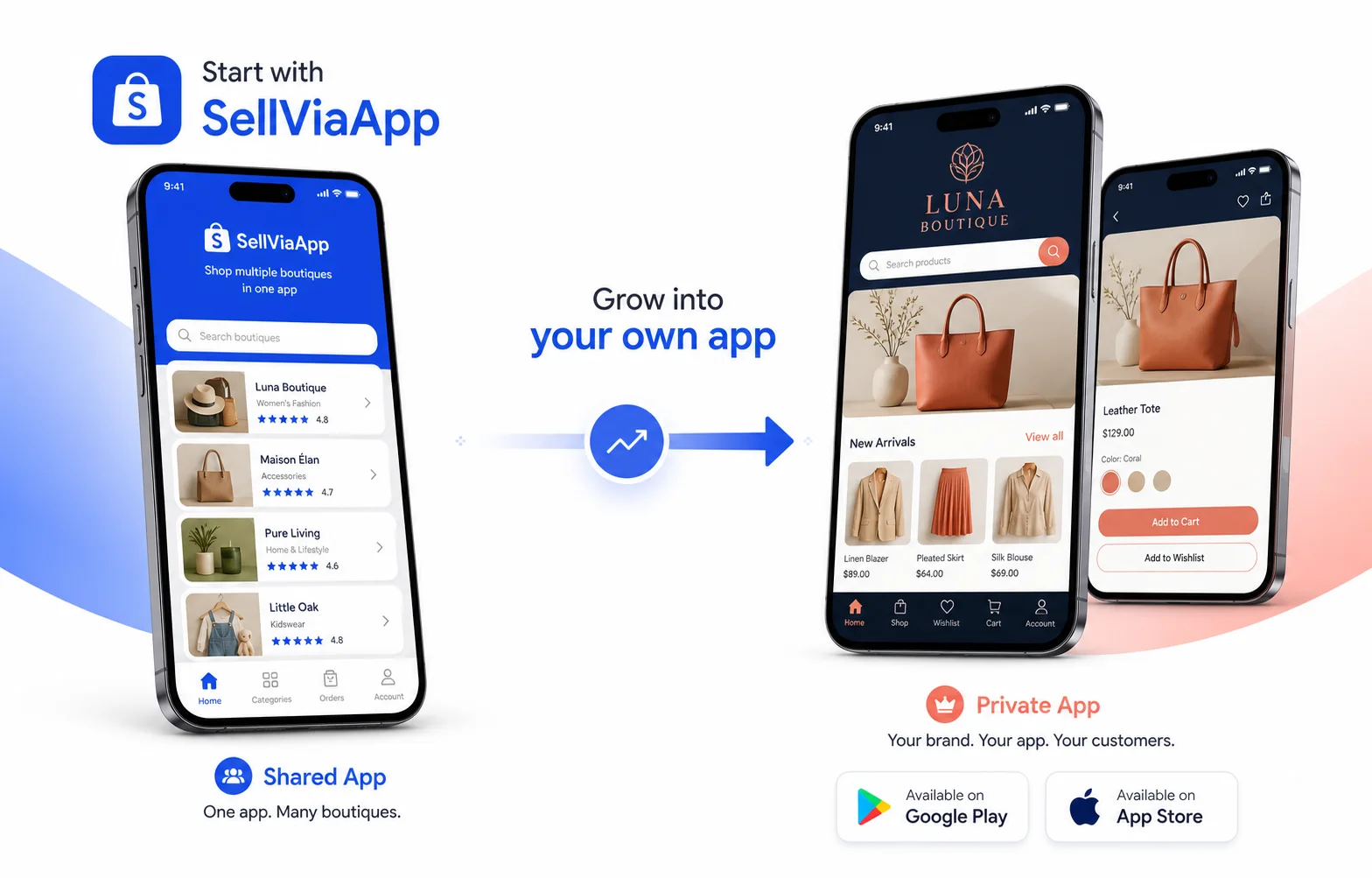
Shared SellViaApp
Your customers download SellViaApp and can securely switch between the shops they use.
Your private branded app
A dedicated Android and iOS app focused entirely on your brand.
Discover the private app →Shopify → Android + iOS
Make your Shopify shop mobile today.
Create your mobile app, connect Shopify and let customers buy through Shopify Checkout on Android and iOS.
Try it before you start
Explore mobile shop demos
Browse examples for different businesses and open them in the SellViaApp mobile app.