
Local retailer
The need
Present products, promotions and stock without rebuilding another website.
With SellViaApp
Customers order on mobile and choose pickup or delivery.
Your mobile shop, step by step
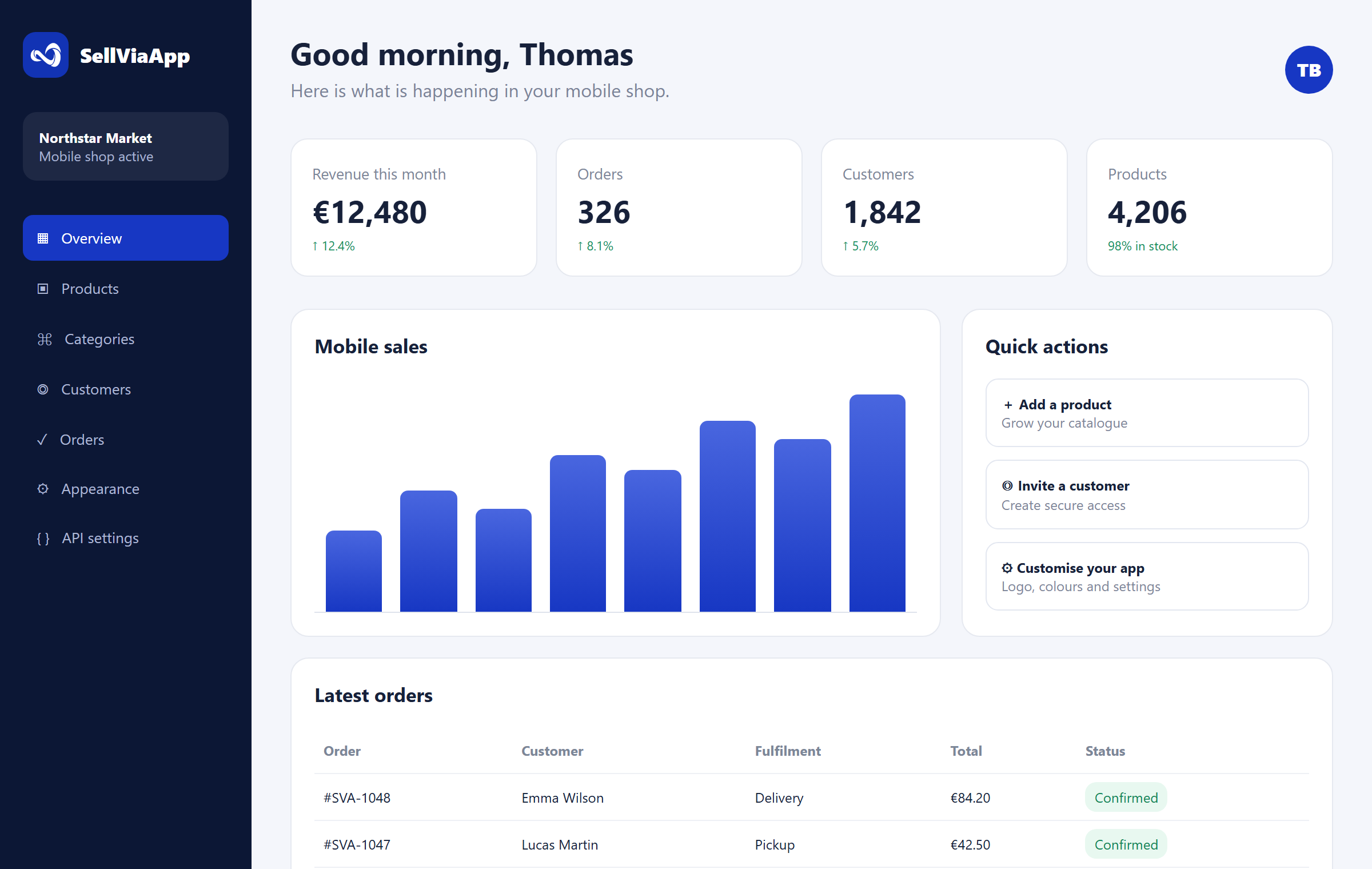
Start with a very simple form. SellViaApp creates your mobile space under your shop name, then you add products, invite customers and receive their orders in the dashboard.
Starting point
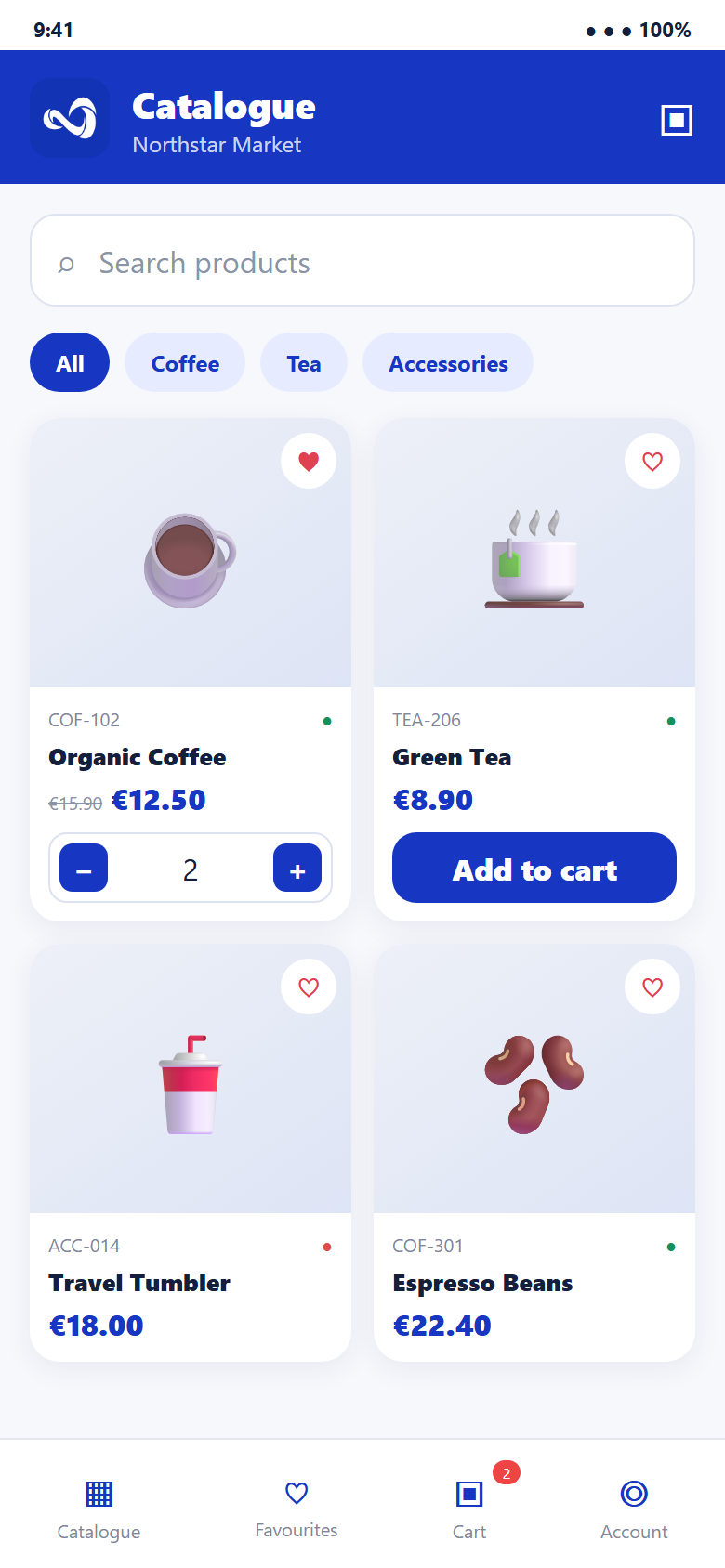
Your mobile space already exists under your shop name. You can now customise it and prepare your catalogue.
Real-world use cases
Products, services, local sales, private access or a connected catalogue: the same module adapts to your commercial model.
Present products, promotions and stock without rebuilding another website.
Customers order on mobile and choose pickup or delivery.
Reserve offers, prices or references for approved customers.
The business creates or invites accounts and keeps the catalogue protected.
Sell packages, jobs or services as simply as products.
Services include images, descriptions, prices and a clear ordering journey.
Keep WooCommerce, Shopify, an ERP or business system as the main tool.
SellViaApp becomes the mobile channel and synchronises useful data without duplicate entry.
An app that grows with your brand
The shared SellViaApp version lets you launch your mobile shop quickly. When your brand is ready for the next step, your catalogue can evolve into a 100% private, dedicated app without starting over.

Customers download SellViaApp on Android or iOS, connect to your shop and find your products, logo and colours. It is the fastest way to start selling on mobile.
Start now with SellViaAppYour own name, icon, logo, description and a listing fully dedicated to your brand on Google Play and the App Store. The entire mobile experience focuses exclusively on your business.
Discover the private appProducts, categories, customers and settings can move with you, so your mobile presence grows without rebuilding your shop.
From form to first order
No programming knowledge is required. Simply progress through the dashboard at your own pace.
Enter your business name, contact details and the few pieces of information needed to create your space.
✓ Your request is readyAs soon as creation is complete, your shop has its own space inside the mobile application under its own name.
✓ The app is availableCreate your catalogue and add images, prices, promotions, descriptions and stock through the dashboard or your API.
✓ Your catalogue comes aliveShare SellViaApp and their access details. They find your shop, colours and products on Android or iPhone.
✓ Customers connectThey search, save favourites, fill their cart and choose delivery or pickup.
✓ Sales become mobileOrders arrive in the dashboard. Your ERP can also retrieve them automatically through the API.
✓ You stay in controlDelivery, payment and payouts
Simply enable the options that suit your business. SellViaApp only shows customers the methods you have authorised.
Offer order pickup, delivery to the customer’s address, or both. The choice is clearly presented during checkout.
Allow payment on delivery or pickup, secure online payment, or both, depending on how you work.
Use SellViaApp’s preconfigured Stripe account: no keys or technical setup are required. Once a payment is confirmed, the funds appear in your SellViaApp wallet.
Track transactions in your wallet and securely request a payout of the available balance to your configured bank account.
Each transaction separates the amount paid by the customer, Stripe fees, the SellViaApp commission and the net amount available.
Create my mobile shopTwo ways to work
Both methods use the same data and can be combined. Start manually, then connect your software whenever you are ready.
Add and update products, categories, customers and orders visually.
Your ERP, POS, e-commerce platform or business software sends and retrieves data automatically.
The loop is complete
Every confirmed order includes customer information, lines, quantities, prices and fulfilment method. It is available in the dashboard and can be retrieved by your software through the API.
Your mobile project starts here
Choose your app type, create your space for free and enjoy a 7-day trial with no credit card or purchase obligation.